One script and one stylesheet per page
The unglamorous phase of a Shopify performance programme: reorganising a theme so each template loads only its own code, and what the score did while we did it.
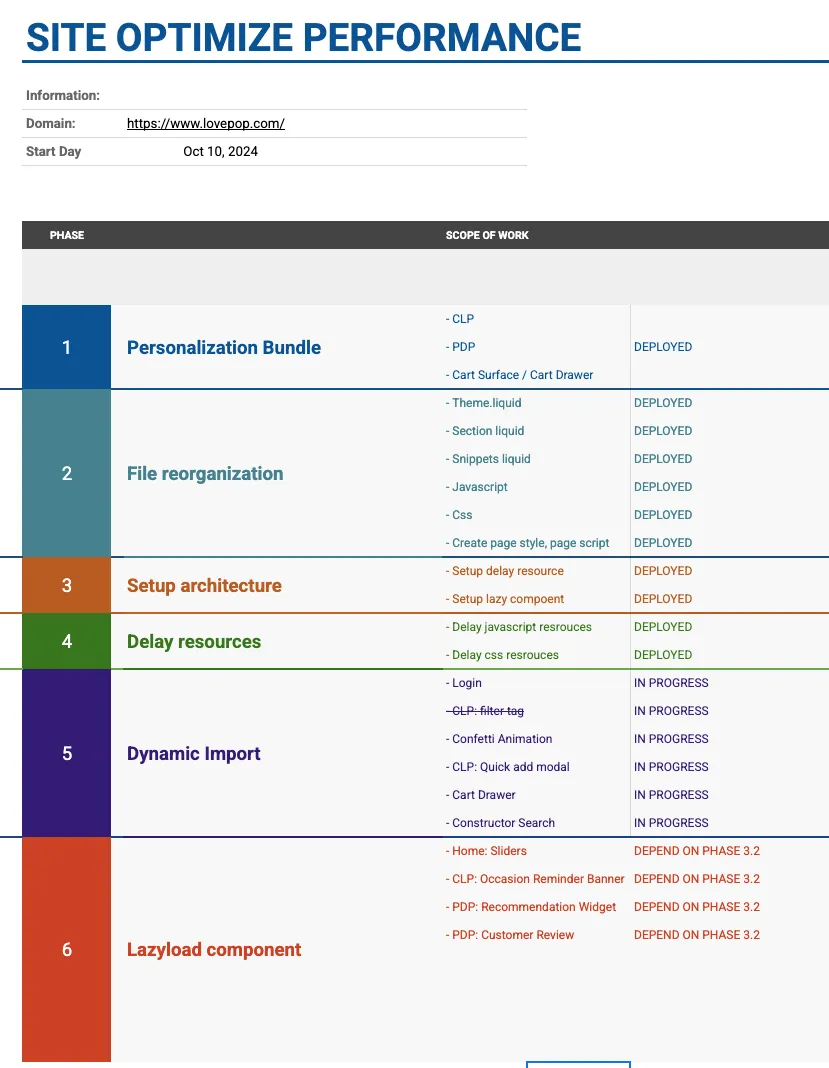
Of the six phases in the Lovepop performance programme, the second took the longest and showed the least. When it was done, the Lighthouse score had moved from 19 to 51. Nobody writes a case study about a 51.
But every phase after it depended on it, and I think it is the part most Shopify teams skip, so this post is about that one.
How a Shopify theme ends up loading everything
A theme has one theme.liquid. Over the years it collects <script> and <link> tags: a slider library for the home page, the review widget for product pages, the filter code for collections, a countdown for a campaign that ended. Each one was added for one page and loaded on all of them, because theme.liquid wraps all of them.
Sections and snippets do the same thing one level down. A section includes its own script; the section is used on four templates; the script loads on four templates whether or not that section is rendered above the fold or at all.
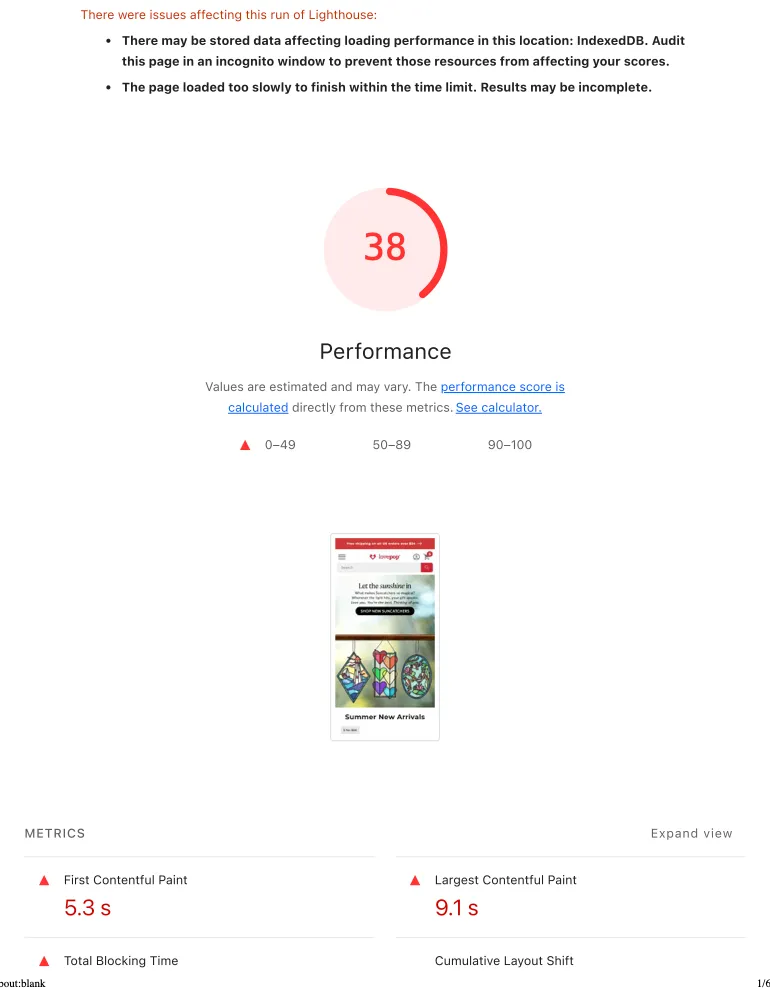
On Lovepop the before report put the document’s own JavaScript at 8.9 seconds of CPU on the home page. Much of that code was for pages the visitor was not on.
Phase 1: one bundle for personalisation
The first phase was narrower than the second and proved the approach. The personalisation code ran on the collection page, the product page and the cart surface, and each had grown its own copy. We bundled it once, loaded it once, and shipped that.
Phase 2: the reorganisation
Then the theme itself: theme.liquid, the section files, the snippets, the JavaScript and the CSS, reorganised so that every page template has a stylesheet and a script of its own.
The rule is simple to state. theme.liquid loads only what every page needs: the base styles, the header, the cart, the analytics the business has decided it cannot live without. Each template adds its own page script and page stylesheet. A section that needs more than that declares it, and the declaration is per section, so the code arrives only where the section is rendered.
What makes it slow to do is that nothing can break. A script that was global for three years has consumers nobody remembers. We moved one file at a time, with the theme’s preview URL on a phone, and a list of every page template to click through after each move.
What the score did
- Late 2024, before: 19 on the lowest run, 38 on the November report we kept.
- February 2025, after phases 1 and 2 and the architecture work of phase 3: 51.
- June 2025, with phase 4 part-shipped: 59, with Total Blocking Time down from 820ms to 460ms and LCP from 9.1s to 5.2s.
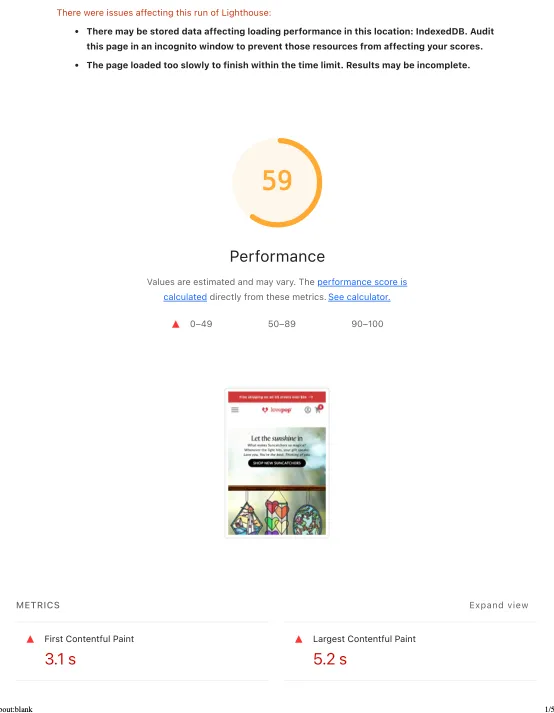
Thirteen points for four months of work does not sound like much. Here is why it was worth it: once each page owns its code, “delay this script” and “load this on demand” become one-line changes to one file. Before the reorganisation, the same change meant finding every place the script was used and proving the delay would not break any of them. Phases 4 to 6 moved the score from 51 to 95 in about the same time as phase 2 took, and that speed was phase 2’s return.
If you only do one thing
Open theme.liquid and count the script tags. Then open the home page template and count how many of them it uses before the visitor scrolls. The difference is your phase 2.